Many times, when you shoot videos, unwanted objects appear in the frame. They can affect the overall purpose of the video and can make it look chaotic. Even a perfect shot can be ruined by something very small, like a stray dog, a water bottle, or a competitor’s logo. So, you need to remove objects from the video that you find unnecessary or distracting.
At first, this can feel challenging and expensive, especially when you use traditional video editing methods requiring manual and frame-by-frame editing (rotoscoping). The good news is that you can quickly remove things from video with AI-powered video editing software like Filmora. You don’t need any skills or knowledge to use them to erase objects from a video.
In this article, we will help you with a step-by-step guide to using AI video editing tools to remove video objects.
Part 1: How to Remove Objects from Video with Filmora
If you want a quick and effective way to remove objects from video, Wondershare Filmora is your tool. This video editing app simplifies the process with its powerful built-in AI video object remover.
With the three easy steps, you can remove unwanted objects from video.
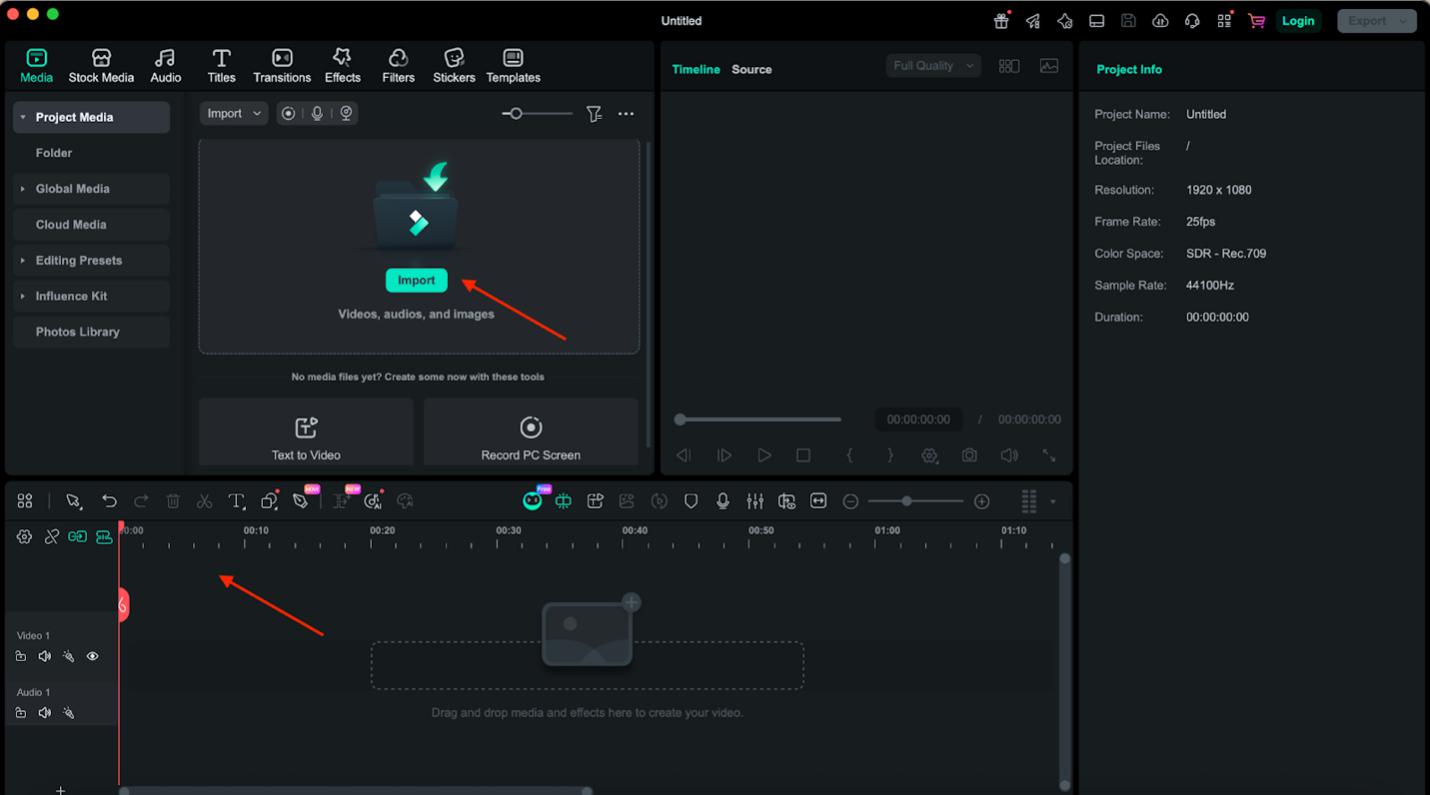
Step 1: Upload video and select AI object remover
- Open Filmora on your system and import the video in it.

- After this, drag and drop the video into the timeline.
- Then select the clip and click on AI Object Remover from the toolbar.
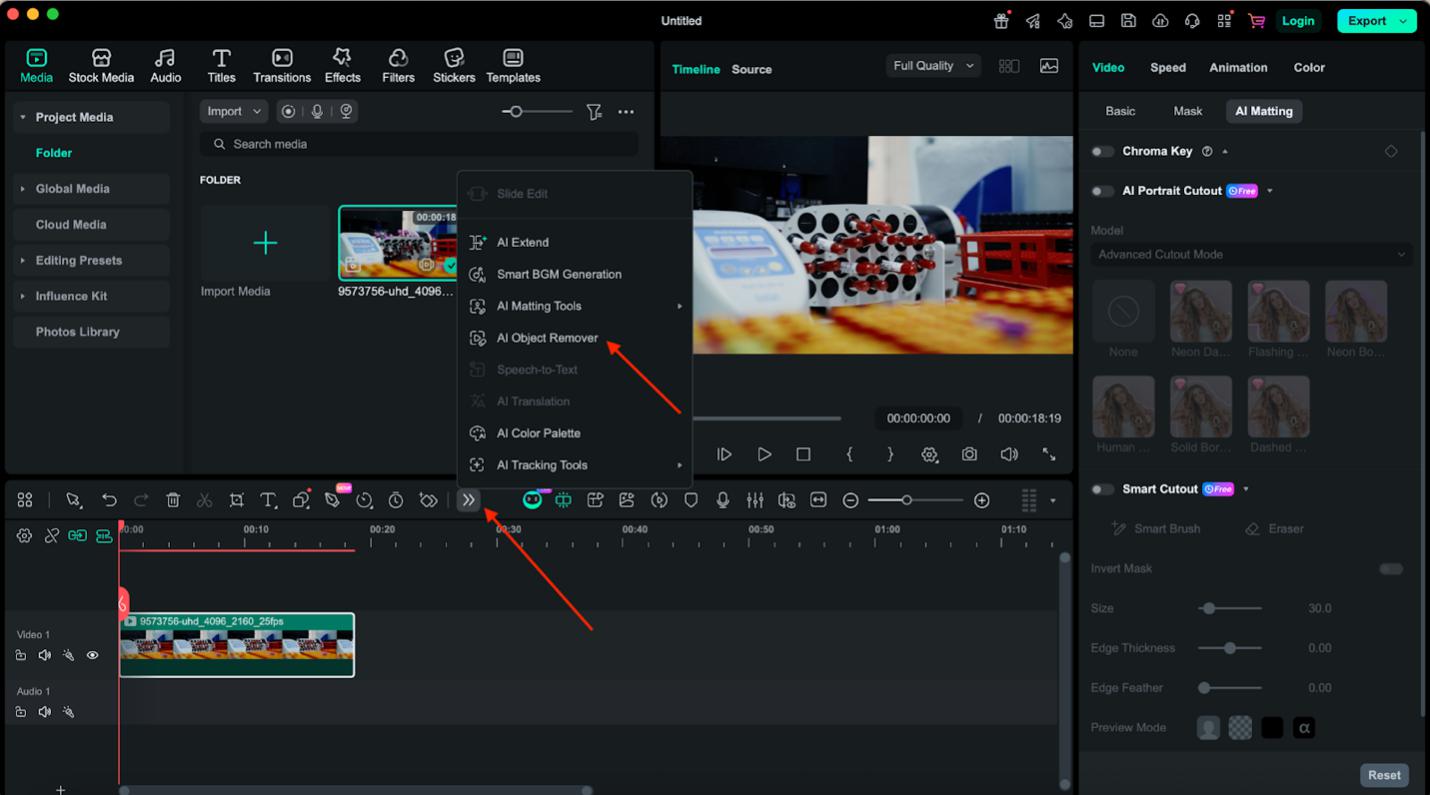
Step 2: Select the unwanted object to remove
- Use the Magic Box or Smart Brush to select unwanted objects.
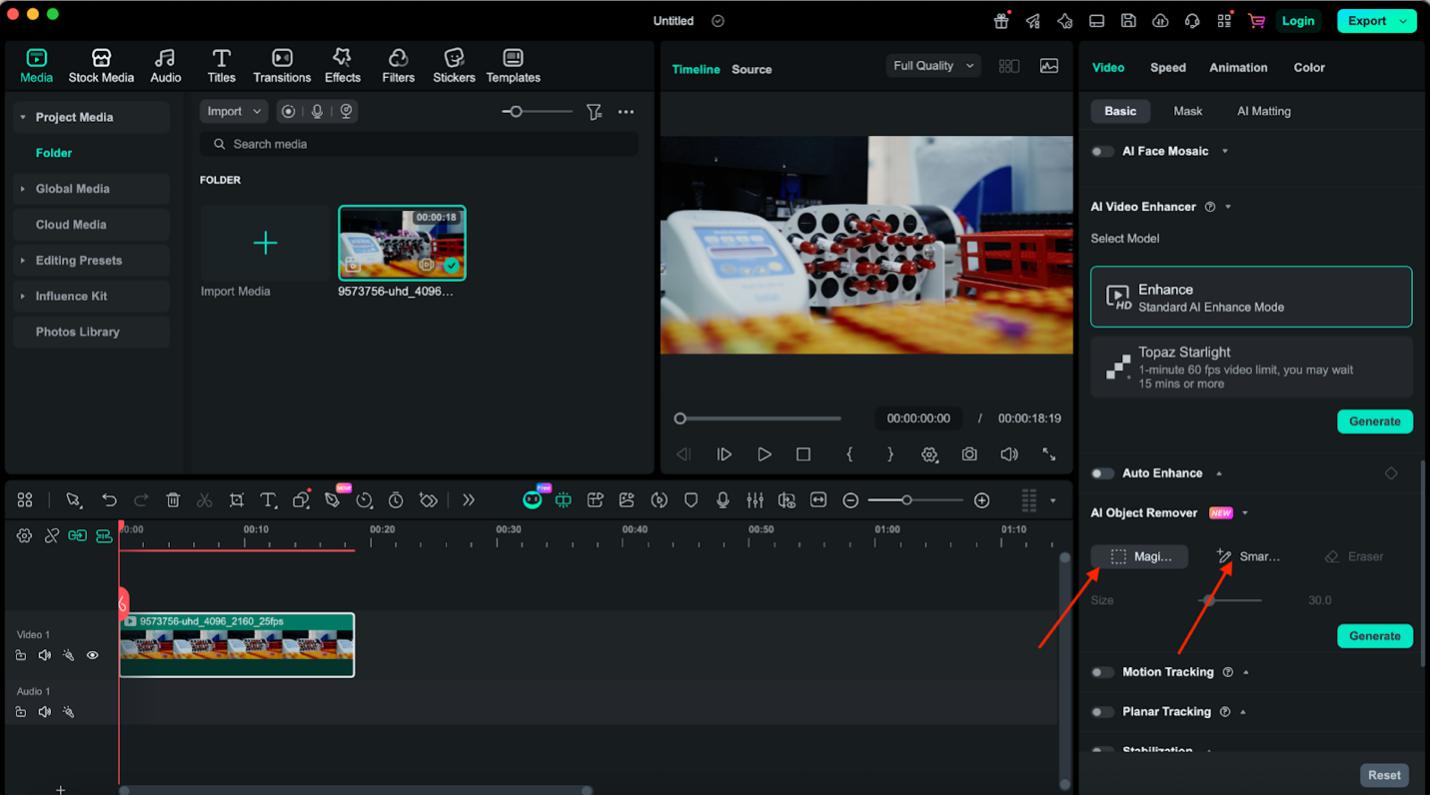
- Adjust the Box size as per the object, or hover over the Smart Brush on the object you want to remove from the video.
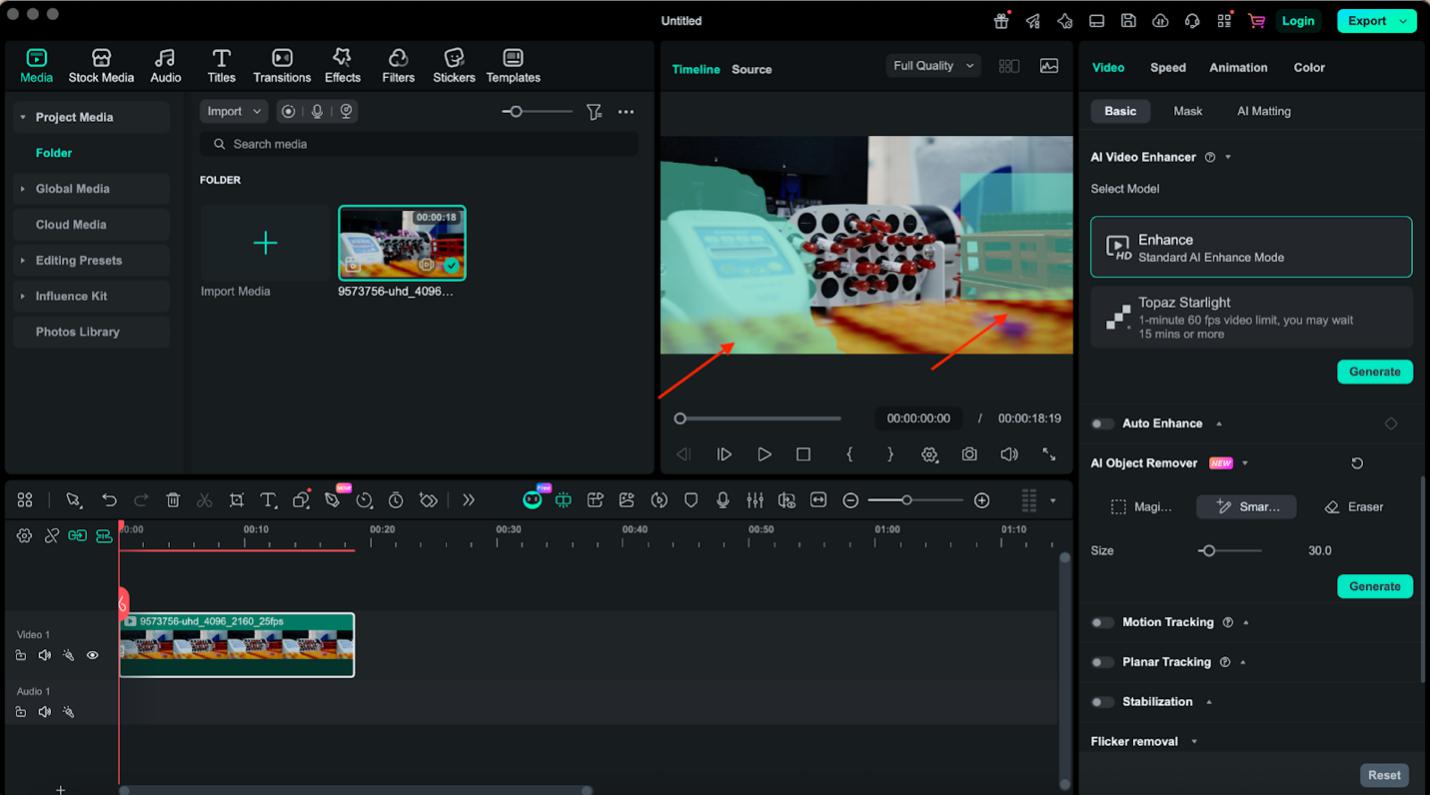
- Now, click Remove.
Step 3: Export final video
- Now, if you like the final video, then export it, and if not, and feel there are more objects to replace, then follow the above step to get the desired output.
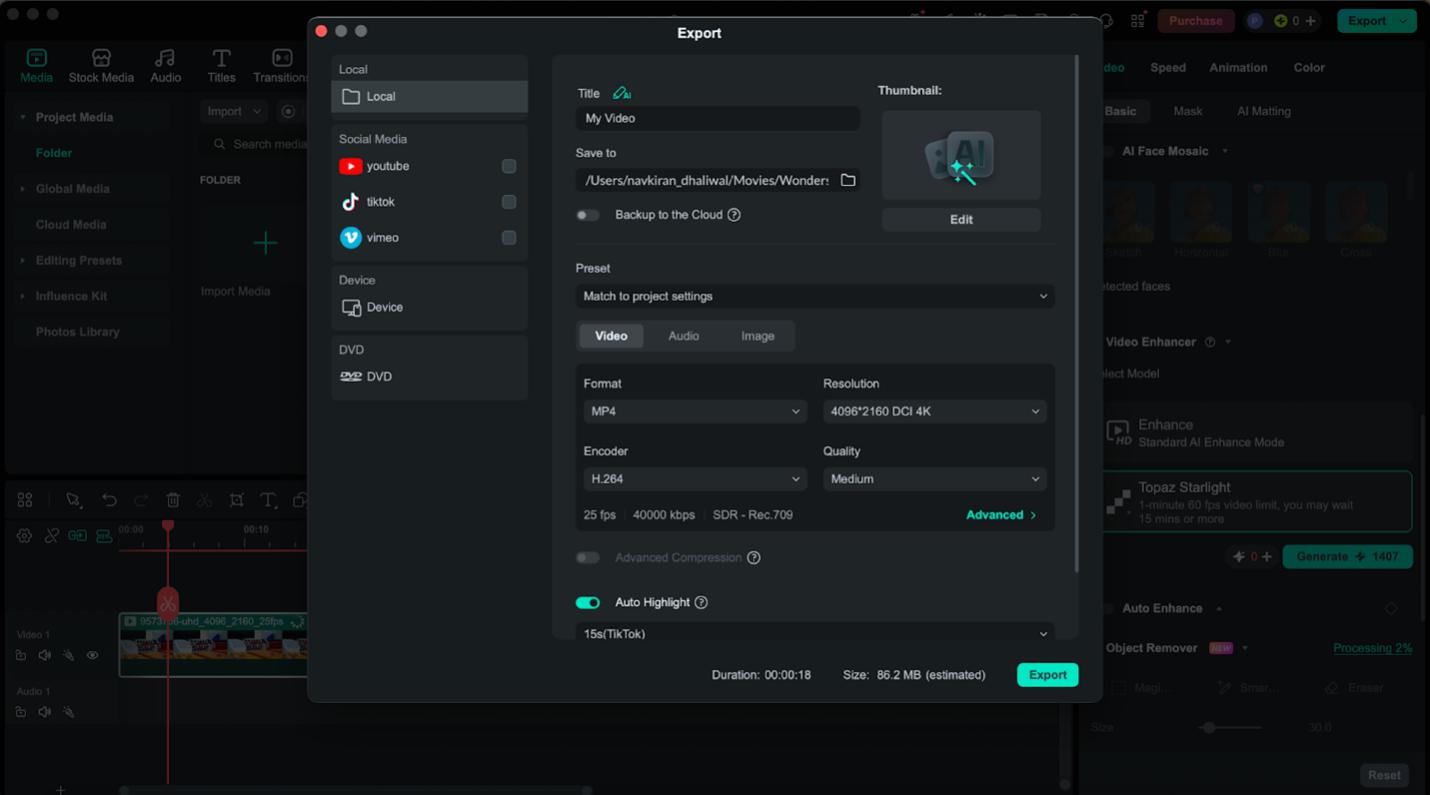
- Click Export to download the video to your system.
With Filmora, tasks like removing objects from video AI or even removing people from video become fast, simple, and professional.
Part 2: What Objects Can You Remove with AI?
Today’s AI video editing tools are very advanced when it comes to remove object in video. Here is a list of objects that a video object remover can remove from your clip.
- You can remove people from video or delete unwanted crowds
- AI video object removal can remove logos, watermarks, or text overlays
- Your video object eraser also removes background distractions like wires, poles, or trash
- Use video object remover to remove any kind of moving objects, like vehicles or animals
- You can use tools like Fillmora to remove even small visual imperfections from your video
Part 3: Why Use Filmora’s AI Object Removal Tool?
Filmora is a fast, safe, and reliable AI object remover that even a novice can use. It requires no skills or knowledge to learn how to remove a person from a video with Filmora. Its interface is very easy and clean. Moreover, its advanced AI features to remove object from video make it the best choice for all video editing projects.
Here are more reasons why you should choose Filmora to remove object from video free.
Dynamic object tracking
AI object remover of Filmora automatically follows moving subjects across frames, and you can easily remove video object without editing frame by frame. This saves you time and effort.
Intelligent recognition
The AI recognizes edges and overlapping elements precisely so that you can remove objects from video without compromising nearby details.
Beginner-friendly experience
Using Filmora is very easy, even if you are a beginner in video editing. Without learning how to remove person from video or how to remove things from videos, you can remove unwanted elements from any video in seconds.
High-quality output
Filmora provides you with the best results without compromising the original video quality, whether it is HD or 4K. There won’t be any loss of quality during the object removal process. This makes it one of the best tools for object remover from video in 2026.
Part 4: Comparing Top 3 AI Video Object Removers in 2026
Here is a comparison between different object removers from video:
Desktop Software (Filmora – Best Overall)
Tools like Wondershare Filmora are specially designed to erase objects from video. This easy-to-use object remover video software comes with advanced features. Here is what makes it best for everyone:
- Availability of motion tracking to accurately remove objects from video AI
- Works offline and is safe to use for any file size
- Handles large files and complex scenes smoothly
- Provides a balance of performance
Best for: Creators who want high-quality results and novices who need to remove objects from video on a daily basis.
Online AI Object Removers
There are many web-based tools that you can use to remove something from a video. The best part is that you don’t need to install them to remove any object from the video.
Limitations
- Require internet connection and video uploads (privacy concerns)
- File size and duration restrictions
- May struggle with complex or moving objects
Mobile Apps
Mobile apps are ideal for quick, on-the-go edits and social media content. These apps are often fast and convenient to use. They are best suited to edit short video clips for social media or YouTube.
Limitations
- Less precise for detailed AI video object removal
- Limited control compared to desktop tools
- Lower output quality for professional use
Frequently Asked Questions (FAQ)
Can I remove text from a video using AI object remover?
Yes, you can easily remove any kind of text from a video using the AI object remover tool.
Will an AI video editor affect the quality of my video?
No, most AI video editing tools, including Filmora AI object remover, don’t affect the video quality. You get the desired output without any degradation in video quality.
How to remove people from a video easily?
Use an AI video object remover tool. Simply select the person, and the AI will process the frames automatically.
Is there a way to remove an object from a video for free?
Yes, some online tools allow you to remove object from videos online free, but there can be some limitations for size or quality.