
With some not wanting to experience the Adaptive Triggers on PS5, some have been asking “How to turn off the DualSense Trigger Effect/Adaptive Triggers On PS5?” Well, this article will solve that query for you.
How To Turn Off The DualSense Trigger Effect/Adaptive Triggers On PS5?
- From the main PS4 Menu use the DualSense to move to the settings icon.
- Hit X and from there scroll down to ‘Accessories’ and hit X again.
- Now, select the ‘Controllers’ choice and the third option in the next list will allow you to turn off the DualSense’s Trigger Effect and Adaptive Triggers so you can game without disturbance.
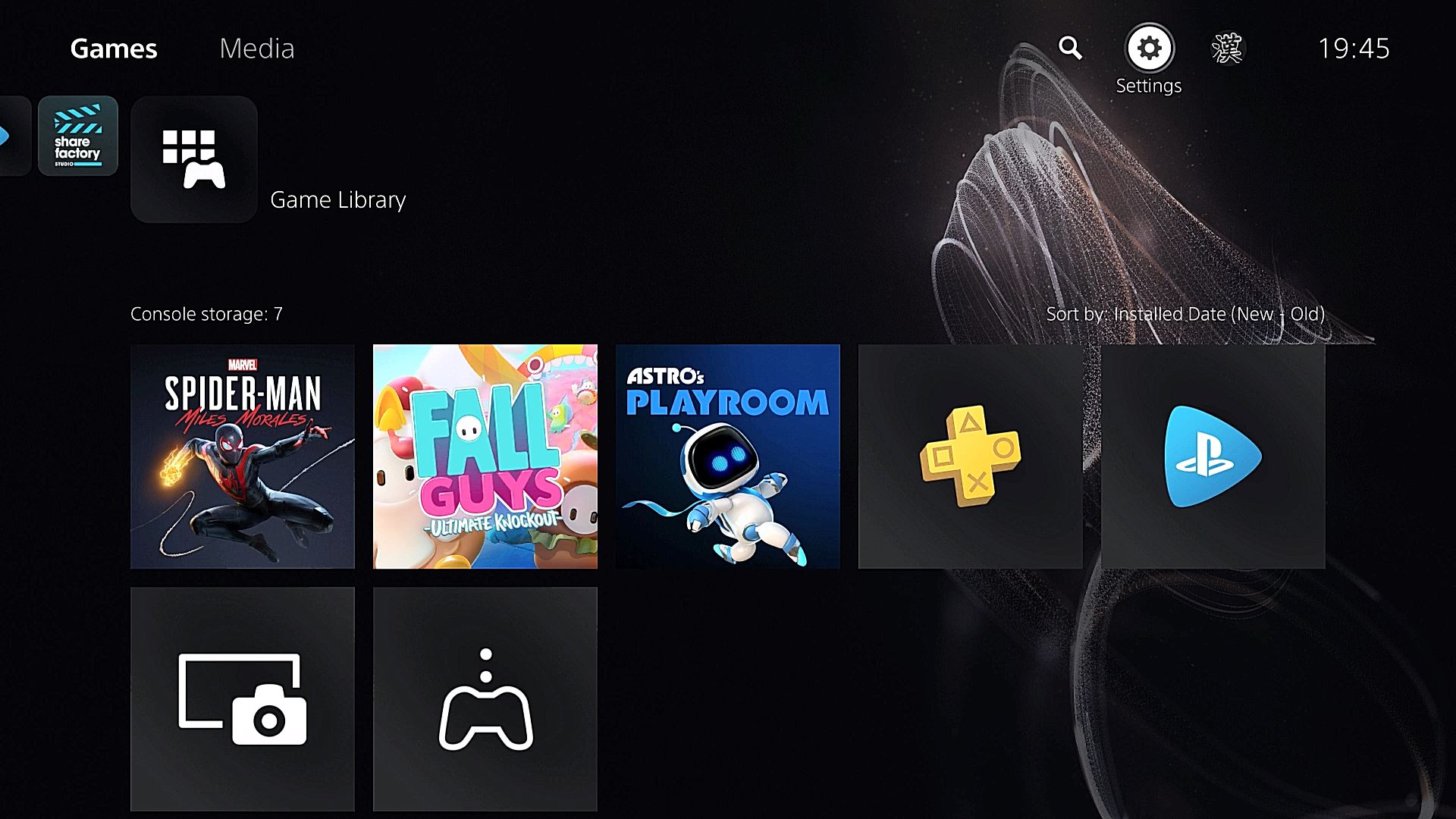
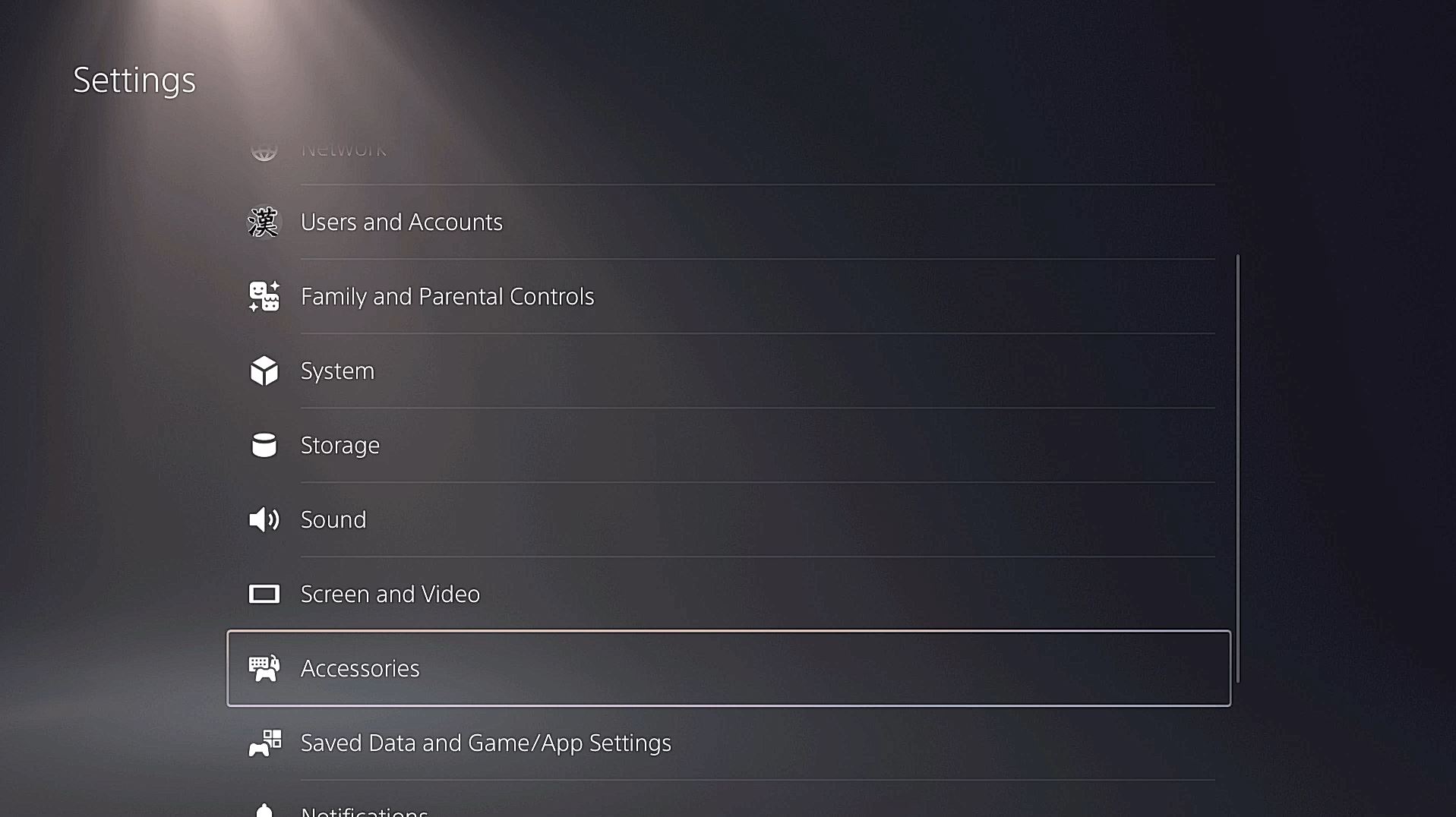
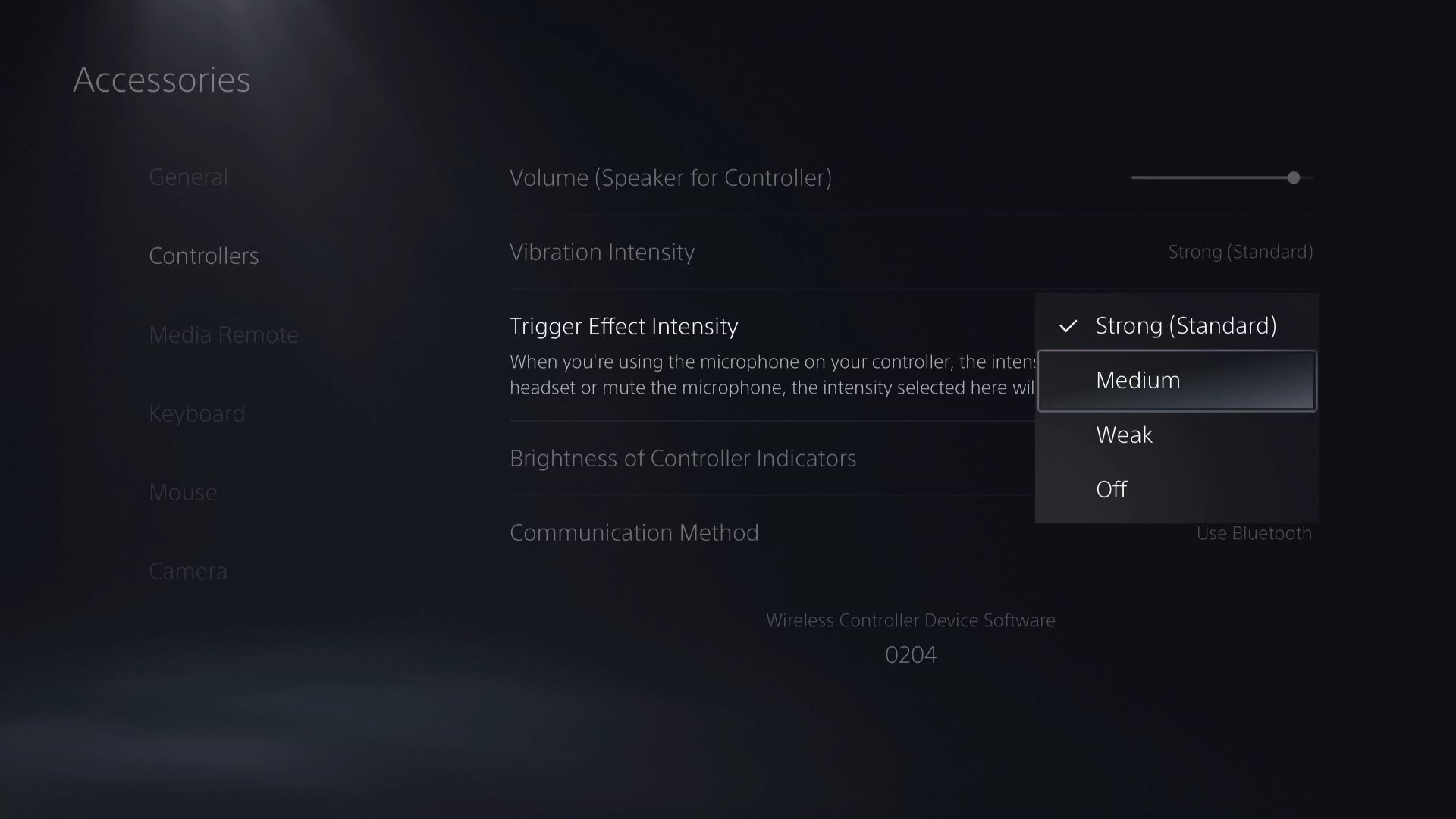
This is one of a number of different settings you can change on the PS5. If you want to keep track of all our guides and info about the PS5 UI be sure to check out our hub filled with PS5 info here.
The PS5 is available now.