Murder Mystery 2 has had an active trading economy for years. Players exchange knives, guns, and pets constantly, and the system looks straightforward at first, but most beginners lose items in their early trades simply because they don’t know how values work or what makes a deal fair.
Trading in MM2 isn’t just about swapping items. There are rarity tiers, community-driven values, and market shifts that affect what your inventory is actually worth. Getting that wrong, even once on a high-value item, can set your progress back significantly.
In this article, we’ll explore everything you need to trade effectively in MM2, from how the trading system works to reading values, spotting bad deals, and building your inventory the right way.
Trading Requirements
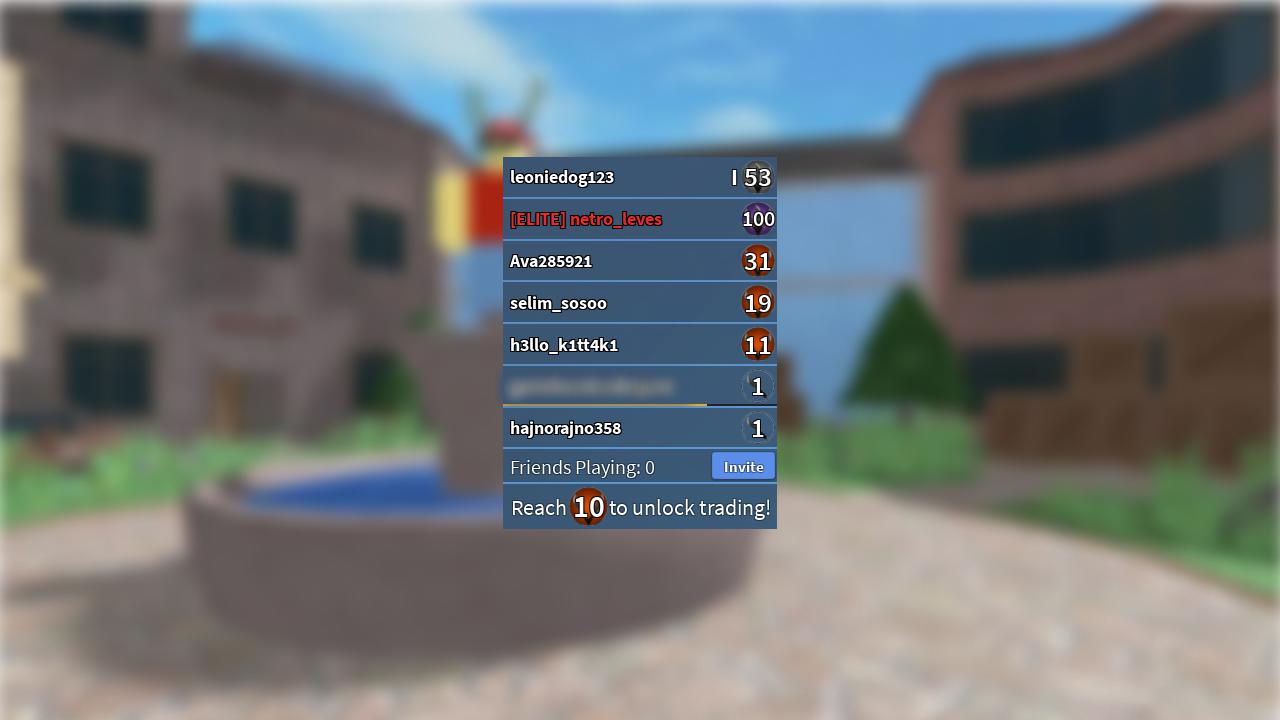
MM2 trading is locked until you reach level 10. Nikilis added this restriction in December 2021 to prevent duping and scam accounts from abusing the system. The fastest way to get there is to survive as long as possible each match and collect coins along the way. Most players hit level 10 within a few hours of active playtime.
Beyond the level requirement, you need tradeable items in your inventory. The default knife and gun every player starts with cannot be traded, so you’ll need to obtain items through crates, events, or purchases first. Standard crates cost 1,000 coins, while event crates typically cost 400 event tokens. Once both conditions are met, the trade option becomes available and you’re ready to start.
What Are Values?
MM2 Values are community-agreed numbers that represent how much an item is worth relative to other items. They aren’t set by the game itself, so there’s no official price list. Instead, the MM2 community determines them based on rarity, demand, and how actively an item gets traded.
Every item in MM2 has a value, and those numbers shift over time. A recently released item might be in high demand and carry a premium, while an older item with low demand can drop significantly even if it’s technically rare.
Two main sites are used to check values: BloxSwaps and Supreme Values, with BloxSwaps being the more widely used option as of 2026. Both assign numerical values to items, but they use different scales, so it’s worth picking one and sticking with it to avoid confusion when comparing trades.
How to Send a Trade
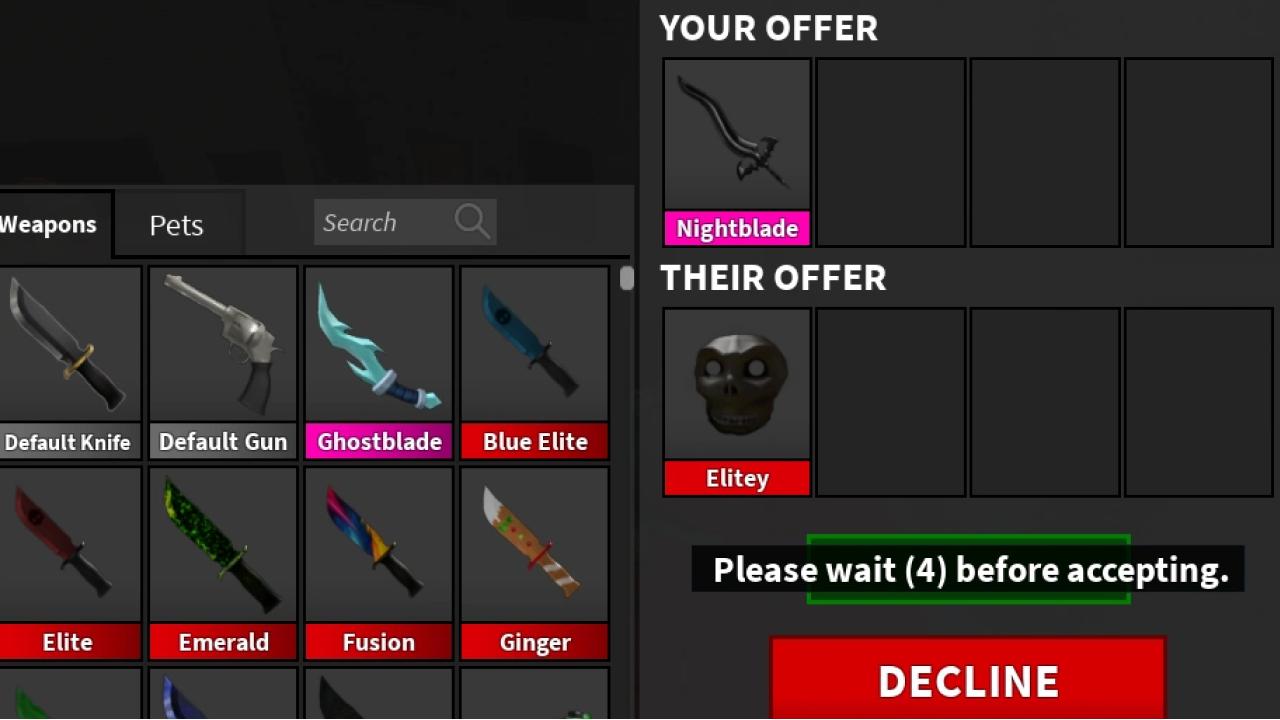
Once you’re level 10 and have tradeable items, sending a trade is straightforward. Click on the player you want to trade with from the player list in the top right corner, then select “Trade” from the menu that appears.
From there, both players add the items they want to offer. When you’re satisfied with what’s on the table, click “Ready.” Once both players confirm, the trade goes through.
A few things to keep in mind before trading:
MM2 caps each trade at four items per side, so larger swaps may require multiple trades
Either player can cancel at any point before both sides confirm
How to Check if a Trade is Fair
Before accepting any trade, compare the total value of both sides using an mm2 trade checker. These tools let you input the items being offered on each side and return a result showing which side holds more value.
Most trade checkers work the same way:
Add the items you’re offering in the “Your Offer” section
Add the items the other player is offering in the “Their Offer” section
The tool calculates the total value for each side and returns one of three results: Win, Fair, or Loss
A Win means you’re receiving more than you’re giving. Fair means both sides are close in value. A Loss means you’re giving away more than you’re getting back.
The main thing to watch with community-run checkers is outdated data. Most rely on manual updates, so values don’t always reflect current market conditions. Cross-referencing across two sites before committing to a high-value trade is a good habit to build.
Where to Trade and How to Avoid Scams
In-game private servers are the most common starting point. Players gather specifically to trade, and you can browse offers directly. The downside is that finding a fair deal takes time, and you’re relying on whoever happens to be in the server.
Community platforms like Traderie let players list items and browse offers from others. It gives you more options than a single server, but trades still require both players to be online and agree on terms, which slows things down.
Automated platforms like BloxSwaps remove most of that friction. You deposit your items, select what you want in return, and the trade completes instantly through a bot. There’s no negotiating, no waiting for someone to come online, and no risk of being scammed mid-trade.
On the scam side, the ones to watch for are:
Sharking: A trader convinces you your item is worth less than it actually is to get a favorable deal. Always check values independently before accepting.
Last-second switching: Items get swapped out right before you confirm. Check both sides carefully before hitting accept.
Phishing links: Fake sites or “duplication tools” designed to steal your Roblox account. Never click links shared by strangers during a trade.
Final Words
MM2 trading comes down to three things: knowing your item values, checking trades before you accept them, and using platforms that don’t put your items at risk. The rarity tier system tells you where an item stands, but demand and market shifts are what actually move prices, so checking values regularly matters more than memorizing a list.