If you’ve been creating YouTube content for years, chances are you have a library of older videos that don’t reflect the polished style of your current work. Instead of letting those videos collect digital dust, you can breathe new life into them with the help of AI-powered tools. Using a free AI video generator, you can easily update visuals, improve audio, and optimize content for today’s viewers, transforming your older uploads into engaging, modern content.
Here’s how AI can help you enhance your outdated videos and make them relevant for today’s audience.
Update Video Quality to HD or 4K
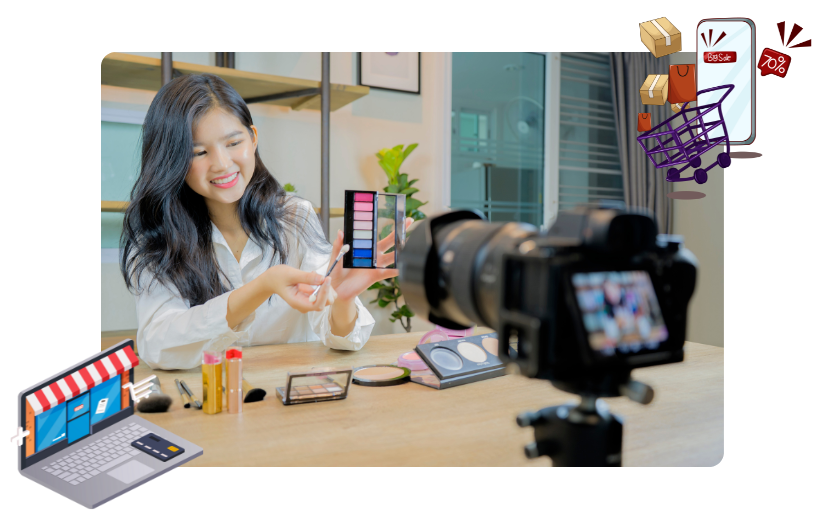
Older videos may have been recorded in lower resolutions that look outdated on modern devices. AI tools can upscale these videos to HD or even 4K, improving clarity and visual appeal.
How AI Helps:
- Upscaling Algorithms: AI tools analyze and enhance the resolution of your videos, filling in details to create a sharper image.
- Noise Reduction: AI removes graininess and artifacts commonly found in older footage.
- Color Correction: Automatically adjust brightness, contrast, and saturation to give your video a vibrant, modern look.
With a YouTube video editor, you can easily apply these enhancements, ensuring your videos meet today’s quality standards.
Enhance Audio for Clearer Sound
Poor audio quality is a common issue with older videos. Background noise, uneven volume, or muffled speech can detract from the viewer’s experience. AI can repair and enhance the audio in your videos to make them sound professional.
How AI Helps:
- Noise Reduction: Remove static, hums, and other unwanted sounds.
- Dynamic Range Adjustment: Balance audio levels to ensure consistent sound throughout the video.
- Speech Enhancement: Make dialogue clearer and easier to understand by isolating and amplifying vocal frequencies.
By improving your video’s audio, you can make it more enjoyable for viewers and extend its lifespan.
Add Fresh Intros and Outros
A polished intro and outro can modernize your videos and strengthen your branding. AI tools can create these elements in minutes, giving your old content a fresh, professional feel.
How AI Helps:
- Custom Animations: Generate animated intros that align with your brand identity.
- Dynamic Text Overlays: Highlight your channel name, tagline, or calls-to-action with sleek, modern text effects.
- Seamless Integration: AI ensures that intros and outros blend smoothly with the rest of your video.
This simple addition can make your older videos more visually appealing and cohesive with your current style.
Optimize for Today’s YouTube Algorithm
YouTube’s algorithm evolves constantly, and older videos may not meet current optimization standards. AI tools can help you revamp your metadata, captions, and thumbnails to improve discoverability.
How AI Helps:
- Keyword Suggestions: AI analyzes your content and recommends updated keywords for titles, descriptions, and tags.
- Caption Generation: Automatically generate accurate captions to improve accessibility and SEO.
- Thumbnail Creation: Create eye-catching thumbnails that reflect current design trends and drive higher click-through rates.
By aligning your older videos with YouTube’s latest best practices, you can boost their visibility and engagement.
Repurpose Content for New Formats
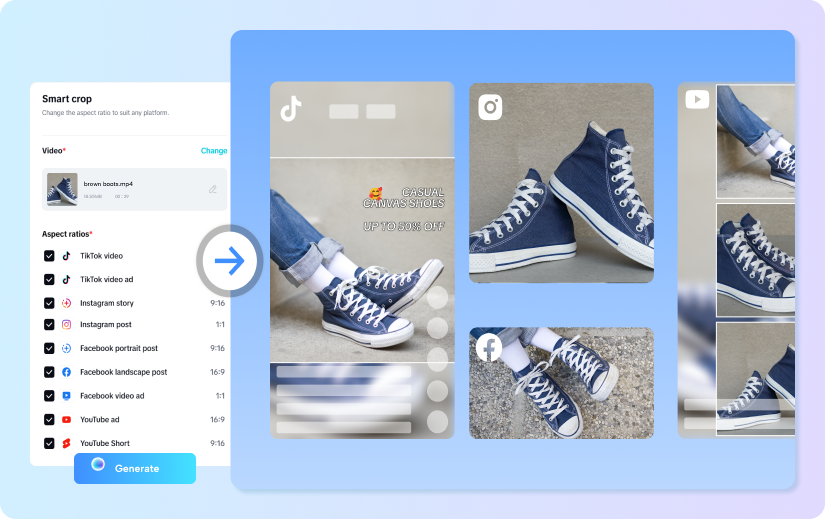
Some of your older content may work well as short-form videos or reels. AI tools can help you repurpose your long-form videos for platforms like YouTube Shorts, TikTok, or Instagram.
How AI Helps:
- Clip Extraction: AI identifies engaging moments in your video and trims them into short, shareable clips.
- Aspect Ratio Conversion: Resize and reformat videos to fit vertical or square formats for social media.
- Auto Captioning: Add captions optimized for mobile viewing.
Repurposing your old content allows you to reach new audiences without creating videos from scratch.
Add New Visual Effects and Transitions
Modern video editing trends often include sleek transitions, dynamic effects, and subtle enhancements. AI tools can help you incorporate these elements into your older videos.
How AI Helps:
- Transition Effects: Add smooth transitions between scenes to improve video flow.
- Overlays and Filters: Apply modern filters or overlays to give your video a contemporary aesthetic.
- Motion Graphics: Add animations, callouts, or interactive elements to keep viewers engaged.
These updates can make your content look fresh and align it with current viewer expectations.
Localize Content for a Global Audience
If your older videos target a specific audience, you can use AI to localize them for viewers in different regions, expanding your reach and relevance.
How AI Helps:
- Subtitles and Translations: Generate subtitles in multiple languages to cater to a global audience.
- Voiceovers: Create localized voiceovers that match the tone and style of your original content.
- Cultural Adjustments: AI can recommend edits to make your content more relatable to different demographics.
Localization not only enhances the value of your older videos but also increases their accessibility.
Refresh Your Call-to-Actions
Your older videos might include outdated CTAs, such as links to inactive pages or references to old promotions. AI tools can help you update these elements to reflect your current goals.
How AI Helps:
- Text Replacement: AI can replace on-screen text with updated information without needing to reshoot footage.
- Interactive CTAs: Add clickable elements, such as subscription buttons or product links, to keep viewers engaged.
- End Screen Updates: Modernize your end screens to promote your latest content or initiatives.
Keeping your CTAs relevant ensures your older videos remain effective as marketing tools.
Integrate AI-Powered Analytics
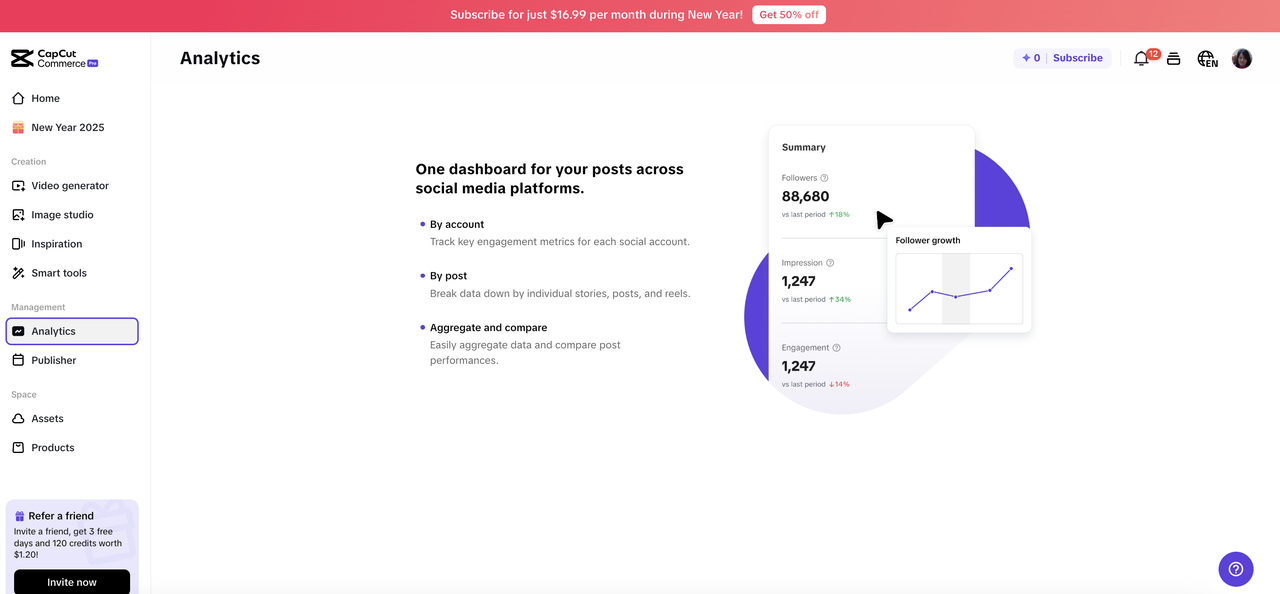
To ensure your enhanced videos perform well, use AI analytics tools to track their engagement and suggest further improvements.
How AI Helps:
- Performance Insights: Analyze viewer behavior to identify which parts of your video are most engaging.
- Content Suggestions: AI can recommend additional edits or updates based on current trends and viewer feedback.
- SEO Monitoring: Continuously optimize your videos for search rankings based on real-time data.
By leveraging analytics, you can maximize the impact of your modernized videos.
Automate the Entire Workflow
The best part about using AI is its ability to handle multiple tasks simultaneously. From enhancing visuals to optimizing metadata, AI tools streamline the entire workflow, saving you time and effort.
How AI Helps:
- Batch Processing: Enhance multiple videos at once, applying consistent updates across your library.
- Template Application: Use templates for intros, effects, or captions to ensure a cohesive look.
- Real-Time Adjustments: Make edits and enhancements in real-time, reducing the time spent on post-production.
With AI’s automation capabilities, you can modernize your entire catalog of videos quickly and efficiently.
Final Thoughts
AI tools are revolutionizing the way creators manage and enhance their video content. Whether it’s upscaling visuals, optimizing for SEO, or adding modern effects, AI makes it possible to turn old YouTube videos into valuable assets for today’s audience. By using a free AI video generator and a YouTube video editor, you can breathe new life into your content library, ensuring it stays relevant, engaging, and impactful.
Don’t let your older videos go to waste—start updating them with AI and unlock their full potential!