Vampire Crawlers developer Poncle has announced that a new update is now rolling out for all platforms, which brings a variety of quality-of-life improvements. Among the additions include the ability to quit the game, a new deck view, plus card sorting. You can view the full details in the Vampire Crawlers update 1.5 patch notes below.
For those out of the loop, Vampire Crawlers: The Turbo Wildcard from Vampire Survivors is a spinoff to Vampire Survivors, and takes the form of a roguelike deck-building game. It’s based on the characters, weapons and other concepts from Poncle’s critically acclaimed roguelike shoot-’em-up, with players starting off in a village where they select one of several combatants, aka crawlers, and a basic deck of cards favouring specific weapons or abilities. You then choose to travel to one of numerous regions, each one representing a dungeon, many of which feature multiple levels and varying difficulties.
🔵 You can now quit the game
* Settings Button and therefore Quit options always available in the bottom left corner
* Backspace can be used to exit Shops or return to Village from the World Map
* Clearer messaging around Autosave timing added to Quit Confirm pop-up
🔵 Card Sorting
* Buttons to sort cards by Mana cost or Color
* Pressing up/down will quickly move your selection to the next category:
* In unsorted mode it moves to the start and end of the hand
* In colour sort mode it moves to the next colour
* In mana sort mode it moves to the next level of mana cost
🔵 Jeweller Clarity
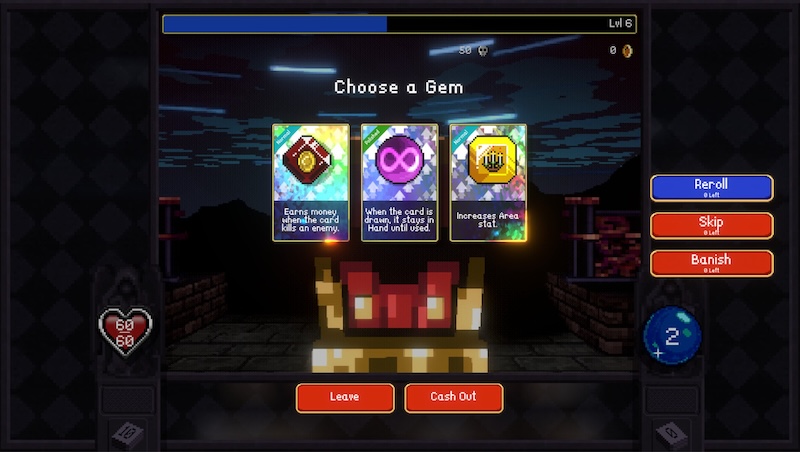
* Jeweller UI now shows the chests you might find a Gem in
* Made several tweaks to make gems rarity behave in a more intutitive way (changes listed below)
* Sealing no longer requires the Player to bring a gem’s frequency below common; Gems can now be also instantly sealed.
🔵 New Deck View
* There is now a single deck view which shows you ALL your cards in one place, and whether they are in your deck pile, your hand, or the discard pile. This is accessible from multiple screens.
🔵 Tooltips
* Added Tooltip Visibility options to the settings to give players more flexibility
* Removed the controller button dedicated to Tooltip toggling (it is now used for card sorting)
🔵 Endless Mode
* If you have completed the game, a small new teaser area is unlocked on the map. This level contains a new Relic which unlocks Endless Mode
* With the Relic active, Endless Mode is available in any dungeon that you have previously cleared.
* In Endless Mode the difficulty is increased, and you can keep digging after completing the normal floors of a dungeon, allowing you to explore further and experience even tougher encounters.
* The Jeweller is disabled in Endless Mode to make it an a challenge about going as deep as possible in a stage having to rely on the base-game RNG rather than a preset gem configuration.
🔵 Other changes
* Grim Grimoire is now available during level-ups
* When levelling up you will be shown if any of the cards offered are part of an evolution with your existing cards (but only if you have Evo’d that combination previously)
* On the Pause screen we now default to the bottom row of buttons to make it easier to open the Grim Grimoire (or exit…)
* Previously hidden stats like Re-roll are now shown when they are not 0
* There is now a Luck-based chance to get 4 gems per chest intead of 3
* Luck increases the chance of getting better quality gems when levelling up
🔵 Coin Count is still OP
* Profit.
[Source – Vampire Crawlers Patch Notes]