With the PS5 about to release, many are asking if PS4 game save data will work on PS5 and how you can backup those PS4 game save data so that you can pick up right where you left off on PS5. This guide will tell you exactly how to backup PS4 game save data so that you can use it on PS5.
Does PS4 Game Save Data Work On PS5?
Sony hasn’t officially confirmed that your PS4 save game data will work on PS5 for PS4 backwards compatible games. However, it is safe to assume that this will be the case; however, once we have official word from Sony we will be sure to update this article.
How To Backup PS4 Game Save Data So That You Can Use It On PS5?
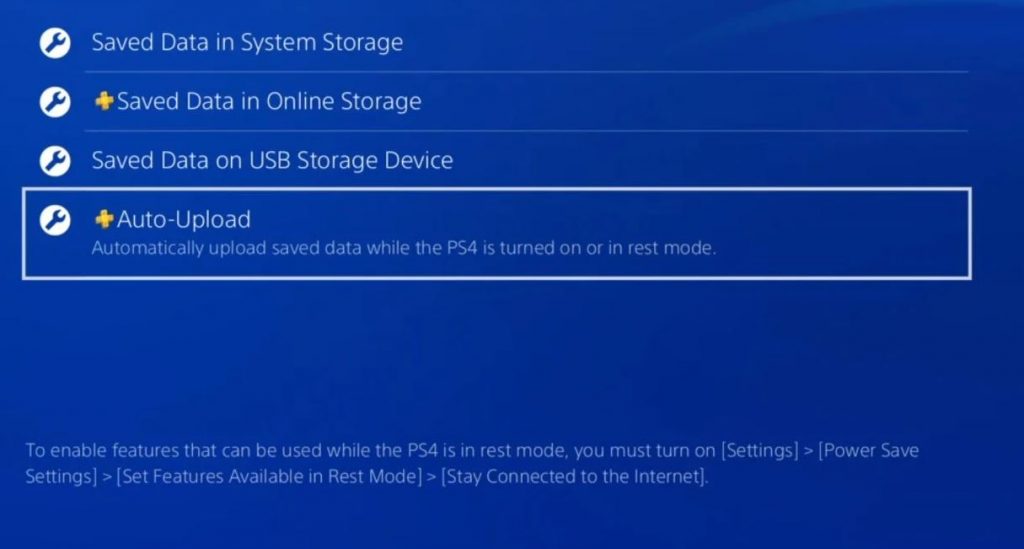
PS4 game save data can be backed up on a USB stick or, if you are a PS Plus member, through the cloud. In order to backup your save data hear to the PlayStation Dashboard and go to Settings, Application Saved Data Management, Saved Data In System Storage. From here you can choose to upload it to online storage (the cloud) or copy it to a USB storage device.
For PS5 it is best to do both of these options, that way if one isn’t compatible with Sony’s new console you have a backup save already ready for when your PS5 arrives on your doorstep.