
Modern gaming rarely starts instantly anymore. Players jump into massive titles like Call of Duty, Fortnite, EA Sports FC, and GTA Online, only to hit huge updates, shader installs, login queues, and matchmaking delays before gameplay even begins. Some players also jump into platforms like Gamesville during those moments, since it offers collections of popular slot-feature games and free games that can be accessed quickly without massive installs or lengthy setup processes.
Modern players spend too much time technically gaming without actively interacting with anything. Sony’s DualSense quietly fixes part of that problem. Adaptive triggers, advanced haptics, touch controls, and motion sensors keep the controller engaging even outside direct gameplay. Instead of becoming useless during downloads and updates, it can stay part of the PS5 entertainment experience itself.
So, here is how to kill download boredom without ever putting down your DualSense.
Why Download Boredom Feels Worse Than It Should
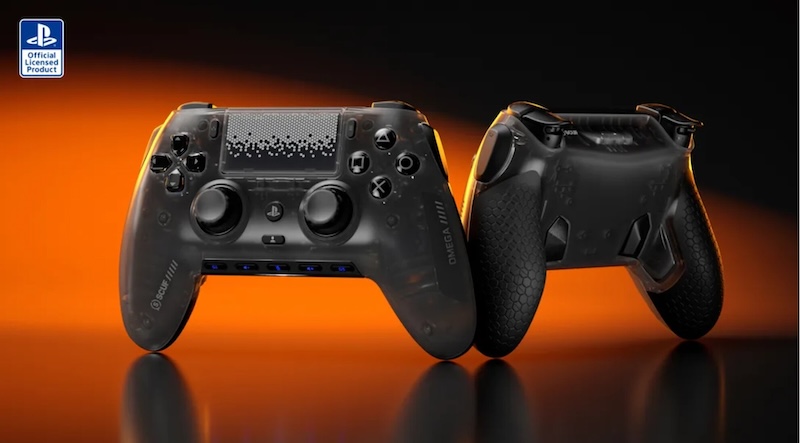
Passive waiting feels longer because the brain receives almost no stimulation. Watching a percentage increase slowly creates frustration because nothing interactive happens during the process.
A five-minute matchmaking queue often feels longer than a twenty-minute gameplay session. That happens because active engagement changes how time feels mentally.
Short gameplay loops completely alter that experience. A player who spends ten minutes actively racing, fighting, or exploring rarely notices the download progressing in the background. The waiting period stops feeling wasted because interaction replaces inactivity.
This is exactly why small instant-launch games work so well during downtime.
Keep One Instant-Launch Game Permanently Installed
The best anti-boredom strategy is maintaining one lightweight game designed for fast sessions. Large cinematic titles usually fail during waiting periods because they require emotional investment and long uninterrupted sessions.
Smaller games work far better because they create immediate satisfaction.
Games like Hades, Rocket League, Balatro, Dead Cells, and Vampire Survivors launch quickly and deliver action within seconds. A single run, race, or survival round naturally fits inside update windows and matchmaking delays.
These games also benefit heavily from DualSense features. Fast trigger feedback, responsive haptics, and tight movement controls make short sessions feel more rewarding.
The important factor is consistency. The comfort game should always remain installed and ready. That removes decision fatigue completely. There is never a moment where nothing exists to play.
Adaptive Triggers Make Short Sessions More Engaging
Most players still underestimate how much adaptive triggers change interaction quality. Traditional controllers simply vibrate when something happens. The DualSense creates physical resistance that changes dynamically during gameplay.
That difference matters enormously during short downtime sessions because the brain stays physically engaged through the hands.
In racing games, braking pressure stiffens under heavy speed. In shooters, trigger resistance changes depending on weapon type. Bow mechanics tighten progressively during tension buildup. Different surfaces create different movement sensations through vibration patterns.
Games like Spider-Man 2, Cyberpunk 2077, Returnal, and Gran Turismo 7 use these systems aggressively. Even brief gameplay moments feel tactile and active because the controller constantly responds physically.
That interaction reduces the feeling of waiting far better than passive scrolling on a phone.
Stop Replacing Gaming With Phone Scrolling
Phones completely destroy gaming momentum during downtime. A player checking social media for “two minutes” often ends up mentally disconnected from the gaming session entirely.
The brain switches contexts instantly:
gaming becomes background noise while endless scrolling becomes the primary activity.
Returning afterward feels less immersive because attention already shifted elsewhere.
Keeping the DualSense in hand prevents that transition. Even small interactions maintain continuity:
- adjusting settings
- navigating menus
- testing trigger profiles
- browsing game libraries
- checking loadouts
- controlling media apps
Those small actions keep the player inside the gaming environment psychologically.
The goal is eliminating dead controller time completely.
Use the DualSense Beyond Gameplay
Most players only use the controller during active gameplay and ignore everything else it can do.
The DualSense already supports:
- Steam navigation
- media playback
- YouTube browsing
- Spotify controls
- emulator menus
- Remote Play
- desktop navigation through Steam Input
- Android and iPad pairing
On PC, the touchpad effectively functions like a laptop trackpad. Combined with Steam Input or DSX software, the controller can manage shortcuts, audio controls, and desktop functions without touching a keyboard.
That changes the entire flow during downloads. Instead of dropping the controller while waiting, the player continues interacting with the setup naturally.
PC Players Can Customize the Experience Further
PC gaming unlocks much deeper DualSense functionality than most people realize. Tools like DSX and DualSenseX allow players to customize trigger behavior, haptic intensity, gyro sensitivity, and vibration layers for unsupported games.
Some users create entirely different trigger setups depending on genre:
- light tension for shooters
- heavy resistance for racing games
- tight adaptive feedback for sports titles
Others enable audio-reactive haptics where in-game sound frequencies generate physical vibration through the controller itself.
Even the setup process becomes engaging. Tweaking haptic strength or experimenting with trigger resistance while a game installs feels infinitely better than staring at a static progress bar for thirty minutes. That customization process becomes part of the hobby rather than wasted waiting time.
Build a Two-Game Rotation System
The smartest setups separate games into two categories: primary games and downtime games.
The primary game handles long sessions and major progression. The secondary game exists specifically for waiting periods, matchmaking queues, and update windows.
This approach works especially well for multiplayer players. Matchmaking delays stop feeling frustrating when another fast-paced game fills the gaps between matches.
Many players accidentally create boredom by relying entirely on one large game at a time. The moment updates appear, the entire session collapses into inactivity. A secondary instant-launch game prevents that completely.
Reduce Friction Everywhere Possible
Download boredom often comes from small interruptions stacking together repeatedly.
Every unnecessary step adds friction:
- switching controllers
- grabbing keyboards
- opening apps manually
- disconnecting audio devices
- restarting games
The best setups remove those interruptions.
Dual-screen configurations help enormously here. One monitor handles downloads, updates, or Discord while the second handles active gameplay or media. The DualSense remains central across both screens without constant device switching.
Even small conveniences matter:
- rest mode downloads
- overnight preloads
- automatic updates
- permanent comfort games
- fast suspend-and-resume setups
The smoother the transition between activities becomes, the less noticeable downtime feels.
The Real Goal Is Preserving Momentum
Modern gaming will always include waiting periods. File sizes continue growing. Multiplayer systems continue depending on servers and synchronization. Technical downtime is unavoidable now.
The real goal is preventing those interruptions from breaking immersion completely. The DualSense helps because it keeps interaction physical and continuous. Adaptive triggers, haptics, touchpad navigation, and customization systems turn downtime into active engagement instead of passive waiting.
That changes the entire psychology of gaming sessions. The player stops thinking: “I’m waiting for the game to start.”
Instead, the experience becomes: “The next game is loading while I stay inside the gaming environment.” That single mindset shift completely kills download boredom without ever putting down the DualSense.