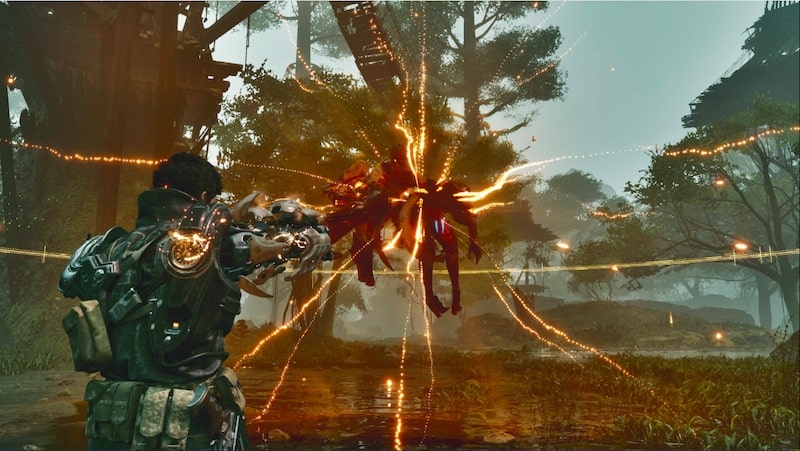
Nexon Games has published an extensive list of The First Descendant update 1.3.6 patch notes for your viewing pleasure. This lates update for the game comes packing a range of new content, including new melee weapons, numerous character rebalancing, and more. We’ve included a number of key highlights from the patch notes below, but you can read the full list here.
The First Descendant was released for PS5, PS4, PC, Xbox Series X/S, and Xbox One on July 2, 2024. The game sees players assuming command of Descendants, which are powerful beings who possess mysterious powers and are the last hope for humanity, which has been invaded by an alien race known as the Vulgus.
Related Content – Upcoming PS5 Games 2025: The Best PS5 Games Coming Soon
■ Update 1.3.6
Melee Weapons
1) Shadow (Balanced Melee Weapon/Impact Rounds)
– Unique Ability: Shadow Slash
ㄴ Press Special Attack button to charge the weapon with energy.
ㄴ Once the weapon is charged, use ‘Shadow Dash’ to dash forward and deal damage.
ㄴ After dashing, wield the weapon consecutively to use ‘Shadow Slash’ and deal damage.
ㄴ The damage and dashing distance increase by the amount of energy charged in the weapon.
(2) Deus Ex Manus (Power Melee Weapon/High-Power Round)
– Unique Ability: Liberation
ㄴ On successful Normal Attack, consume MP to deal Additional Damage.
ㄴ On successful Normal Attack, grants ‘Liberation’ and ‘Resistance’ to self.
ㆍ While holding ‘Liberation,’ Special Attack is activated.
ㆍ Reduces Incoming DMG while holding ‘Resistance.’
ㄴ Pressing Special Attack button while holding ‘Liberation’ removes the effect and the character strikes the weapon down to deal damage.
ㄴ Damage increases as the number of ‘Liberation’ stacks increase.
Event Pass: Sword Pass
– Event Pass: Sword Pass will begin.
– (Updated) Due to an unexpected issue, the start date of the Sword Pass has been changed.
ㄴ After 10.01.2025 (Wed) maintenance – 29.10.2025 (Thu) 23:59 (PDT) (Revised) After 10.02.2025 (Thu) Hotfix 1.3.6b – 29.10.2025 (Thu) 23:59 (PDT)
ㄴ (Updated) Please note that the following challenges will not be applied retroactively prior to the start of the Sword Pass. If you wish to complete any of these challenges, please do so after the Hotfix 1.3.6b has been applied.
New Content: Void Vessel – Medium-Sized Facility Zone
– You can enter this map through Albion – Void Vessel Operations Terminal.
– It can now also be accessed by pressing ‘Void Vessel-072’ button in [Map] – [World Map].
– The existing Void Vessel content map will be changed to ‘Void Vessel: Assumed Bridge Zone.’
– Medium-Sized Facility Zone (Normal Difficulty): Unlocked when reaching Mastery Rank 13 and clearing the existing Void Vessel map (Hard Difficulty).
– Medium-Sized Facility Zone (Hard Difficulty): Unlocked when reaching Mastery Rank 15 and clearing Medium-Sized Facility Zone (Normal Difficulty).
– New Trap: ‘Surveillance Camera’
ㄴ When you are detected by Surveillance Camera, a formidable monster will be spawned.
– Mission completion rewards
ㄴ Trigger Module Loot A – Normal Acquisition Chance: 10%, Hard Acquisition Chance: 20%
ㆍ Upon acquiring Trigger Module Loot A, you can obtain one of ‘Wave Eruption,’ ‘Rhythmic Step,’ and ‘Supply Fortress.’
ㄴ Mutant Cell Box B – Normal Acquisition Chance: 2.5%, Hard Acquisition Chance: 5%
ㆍ By opening a Mutant Cell Box B, you select one of the 9 new Mutant Cells to obtain.
ㄴ Veil Analyzer (Melee Weapon Module – Impact Rounds, High-Power Round) – Acquisition Chance: 5% each
ㄴ Decryption Key II – 6 keys guaranteed
ㆍ These keys are required to open some Storage Boxes and Containers that can be found in Medium-Sized Facility Zone.
ㄴ Collectible Coins
ㆍ Normal: 25
ㆍ Hard: 40
ㄴ Support Coins
ㆍ Normal: 8
ㆍ Hard: 12
ㄴ Materials required to craft Crystallization Catalyst
ㆍ 4 Murky Energy Residue
ㆍ 11 Macromolecule Biogels
ㆍ 4 Mixed Energy Residue
ㆍ 9 Advanced Neural Circuit
– Container Reward
ㄴ Opening a Container consumes one Decryption Key II.
ㄴ You may choose from more Data Vaults depending on the remaining time.
ㆍ Normal: Shadow Blueprint, Hagios Sheepdog Blueprint, Vespers Hunting Dog Blueprint
ㆍ Hard: Shadow Blueprint, Deus Ex Manus Blueprint
– Broken Materials Storage Box II (Not requiring Decryption Key II)
ㄴ One of Basic Materials for crafting Melee Weapon – Guaranteed
ㄴ Neuromorphic Chip – Acquired by chance
– Special Materials Storage Box II (Require 1 Decryption Key II)
ㄴ Rare Basic Material for crafting Shadow
ㄴ Ultrafine Particle Alloy – Guaranteed
– Genetic Information Storage Box II (Require 1 Decryption Key II)
ㄴ Rare Basic Material for crafting Fellow Supplement
ㆍ Lectin Acceptor, Adaptive Protein, Ionized Metal – Guaranteed
ㄴ Rare Basic Material required to craft Crystallization Catalyst – Acquired by chance
– Experimental Materials Storage Box II (Require 1 Decryption Key II)
ㄴ Normal Difficulty
ㆍ Fellow Supplement Blueprint
ㆍ Fortified Supplement, Special Synthetic Calcium, Ultimate Protein Compound – Acquired by chance
ㆍ Rare Basic Material for crafting Crystallization Catalyst – Acquired by chance
ㆍ Gold – Acquired by chance
ㆍ 7 Fellow Rare Basic Materials for crafting Fellow
ㆍ Noctium, Artificial Nano Cells, Excelium, Luminous Alloys, Cloned Plasmids, Specialized Serum Culture, Centromere Mixture – Guaranteed
ㄴ Hard Difficulty
ㆍ Rare Basic Materials for crafting Deus Ex Manus
ㆍ Photon Quantum Crystal – Guaranteed
– You can acquire new “Manus” External Components Set by defeating a Commander.
ㄴ Normal Difficulty: One each of Auxiliary Power, Sensor, Memory, and Processor
ㄴ Hard Difficulty: Two each of Auxiliary Power, Sensor, Memory, and Processor
Void Intercept Battle: Abyss, Challenge
– Changed the Void Intercept Battle: Abyss, Challenge leaderboard to Lava Citadel.
– To intercept the Lava Citadel, you must reach Mastery Rank 18 and complete the quest “The Most Powerful Colossus.”
– Lava Citadel is a Fire-attributed Colossus.
– It absorbs the energy of the Void Abyss through the battlefield’s “Void Pillar” and use that energy to attack.
ㄴ During the Void Reflux mode, the Storm Hanger uses wide AoE skills and ring skills.
– Challenge Lava Citadel’s Battle area is unstable, so as you progress in the battle, its size gradually shrinks.
– Avoid Challenge Lava Citadel’s “Surging Heat” effect to lead the battle in your favor.
ㄴ Take advantage of the Lava Citadel’s vulnerability by actively utilizing Chill attacks.
– The Void Intercept Battle: Abyss, Challenge leaderboard will be active during the following period.
ㄴ Period: After the 10.01.2025 maintenance – 12.04.2025 00
59 (PST)
– The Void Intercept Battle: Challenge leaderboard’s ranking reward conditions, targets, and rewards are the same as for the previous leaderboard, and the period of use for medals will be announced at the time they are awarded.
– Purchase counts of Intercept Battle reward exchange “Consumables” in ETA-0 Shop will be reset.
– Added Intercept Battle reward exchange items in ETA-0 Shop.
ㄴ Collectible Coins
ㄴ “Blazing One” Descendant Skin (By Descendant)
ㄴ Colotoys “Lava Citadel”
ㄴ You may continue to get “Thunder Bearer” Skin and Colotoys “Storm Hanger” back attachment as reward exchange even after the update.
Change in the Opening Sites of Amorphous Materials
– All types of Amorphous Materials can now be opened through “Shaping Device” NPC located in Albion.
ㄴ Shaping Device is located near NPC Anais in Albion.
– “Reconstructed Devices” generated when clearing Intercept Battles and Void Fusion Reactors are removed and will no longer be generated.
ㄴ With the removal of Reconstructed Devices, conditions and routes of some Sub Quests that require using Reconstructed Devices have been changed.
– You can proceed to “Shape” and “Shape Continuously” through Shaping Device NPC.
ㄴ Shaping: Manually Shape selected Amorphous Materials one by one.
ㆍ Shaping stops when all selected Amorphous Materials are shaped or when all selected Shape Stabilizers are consumed.
ㄴ Shape Continuously: The Shaping repeats automatically until all Amorphous Materials in your possession are consumed.
ㆍ Shaping stops when all selected Amorphous Materials are shaped or when all selected Shape Stabilizers are consumed.
ㆍ Shape Continuously can be manually stopped while in progress.
(3) Photo Mode
– Added Look at the Camera option in the Subject tab of Photo Mode.
ㄴ This feature is currently unavailable in Lounge Photo Mode and will be applied in a future update.
– Setting the option to ON will make your Descendant’s gaze to follow the camera.
ㄴ This feature resets when the Descendant’s pose is changed. (To be updated in the future)
ㄴ If the camera is placed where the Descendant cannot see, they will not look at the camera.
(4) Melee Weapons
– Added a new Research Request to Anais.
ㄴ New Ultimate Weapon: Shadow
ㄴ New Ultimate Weapon: Deus Ex Manus
– Added 2 new Melee Weapons in Weapons filter.
ㄴ Balanced Melee Weapon
ㄴ Power Melee Weapon
– Added Melee Weapons category to Weapons List.
– Deleted Weapons filter in Weapons List
– Added Melee Weapon Module category in Library Module.
(5) Leaderboard Ranking Reward
– Ranking reward is given for placing on Void Intercept Battle: Challenge “Storm Hanger” leaderboards.
– Ranking reward will be distributed via mail based on your rank at the end of the leaderboard period.
– Mail will be sent sequentially, so players may receive their reward at varying times.
■ Patch 1.3.6
Content Improvements
(1) Content
– Modified some of Axion Missions.
ㄴ Common
ㆍ Changed the number of monsters inside the assault ship (4-6 → 8-10)
ㄴ Sealed Residential District
ㆍ Changed the time limit. (10 min → 4 min)
ㄴ Removed Field Data Transmitter.
ㆍ Missions cannot be ceased by delivering Colossus Organic Sample.
ㄴ Increased the EXP Gain and Loot Gain Chance for defeating Common Monsters in the Sealed Residential District by 2.6 times.
ㄴ Added the following rewards for one Colossus Organic Sample from the Sealed Residential District.
ㆍ 18 Specially Treated Alloys, 9 Insulating Nuts, 3 Alloy Bearings, 3 High Conductivity Wires
ㄴ AX Refinery, Liquefied AX Vault, Emergency Deployment Zone
ㆍ Increased the Monster Spawn speed.
ㄴ AX Power Converter Station
ㆍ Reduced the number of Defense Objects (3 → 2)
ㆍ Reduced the number of Defense Waves (5 → 4)
ㆍ Reduced the number of activated Defense Objects (Max 3 → Max 2)
– Modified the timing of playing Void Intercept Battle’s boss music.
– Added Collectible Coin to the Completion Reward of Void Erosion Purge (Normal Difficulty).
ㄴ Completing Stage 1 Mission grants 6 Coins, and you will get more coins as you progress.
Completing Stage 10 Mission grants 24 Coins.
– Added Collectible Coin to the reward for defeating Special Operation (Hard Difficulty) Commander.
ㄴ Defeating Kuiper Mine Blockade Commander: Min 4 – Max 7
ㄴ Defeating Albion Resource Defense Commander: Min 2 – Max 5
(2) Modules
– The maximum capacity of Module Inventory is increased. (2,000 → 2,500)
(3) Collectibles
– Changed some components of Common Collectibles Box and Premium Collectibles Box.
ㄴ Newly added Collectibles
(4) UI & UX
– Made improvements to allow purchase rewards in bulk (applicable items) at ETA-0 Shop.
– You can now use multiple Selectable Boxes in your inventory.
– Pressing “Acquire All Attached Items” gives you all attached items in Mailbox.
– The number of currently held Collectibles is shown in the Collectibles List in the View Box Components pop-up in Purchase Collectibles UI.
– Added Monster and Colossus volume options to the Sound Effect Options.
ㄴ Monster: Sounds can now be adjusted individually
ㄴ Colossus: Sounds can now be adjusted individually
– Placing the cursor on the Collectibles icon in Collectibles Box Purchase Complete pop-up will display tool tip.
– Ultimate Tier will be displayed in a different color in the purchase completed pop-up animation that is played after purchasing Collectibles.
– Enlarged the size of “Deactivate” button of Inversion Reinforcement Skill.
– Removed “Recruit” tab and “Join/Recruit” channel in Chat.
– Added “Attached Items” in the Inventory sorting filter.
ㄴ Equipment Items set as Attached Items will be displayed at the top when sorting items by Attached Item filter.
ㄴ Attached Items are displayed by icons.
– Added “Align All Filters” in the Detailed Filter in Inventory.
ㄴ Only Equipment whose entire options match the set option filter will be filtered and displayed.
– Updated Inventory search keywords.
ㄴ Added search keywords related to Melee Weapons
ㄴ Added search keywords related to New Equipment
ㄴ As Reactor Implant function has been removed, search keywords related to Optimization Condition have been deleted.
– As Reactor Implant function has been removed, Optimization option filters have been removed from detailed filters.
– Added “Balanced Melee Weapons” and “Power Melee Weapons” in Weapons Filter in accordance with the addition of Melee Weapons.
– Added Melee Weapons-related option filter to the Detailed Filter.
– Currently equipped Module Socket Type and Capacity can be checked at Assign Module Socket Type screen.
– “Confirm Mission Result” time will not be displayed in the result screen of content playable in Field.
– Matchmaking in Instance Dungeons (e.g., Infiltration Operations or Intercept Battles) to other Dungeons via Library will be blocked.
– Clicking Acquisition Info connected to Sigma Sector will direct you to the Mission UI of the difficulty mode.
– Added exclusive icons for Season Target and Event Pass Target in Challenge Target in the ESC Menu.
– Changed Screen > Camera Settings > [Set Display of the Crosshair in the Cities] option to [Display Fire-disabled Crosshairs].
ㄴ You can set the display of the crosshair when you are unable to fire in cities and fields through this option.
ㄴ The existing setting will be reset and you may need to set the options again.
(5) Shop
– Customization Products equipped by my Descendant will not be shown in View Bundle Product.
– Preview of Emotes, Ecives, and Spawn items of Descendants and Fellows is shown in View Bundle Items.
ㄴ Selecting Preview will play Emote, Ecive, and Spawn animations of the character equipped with the Bundle Item.
ㄴ In Preview, the camera cannot be moved up, down, left, or right.
– Repositioned the placement of Select Descendant Filter to the far right.
(6) Party
– The system logic has been improved so that you do not encounter Parties with full party session when using Recommended Party, Quick Join, and Recommended Party Member functions.
ㄴ When the session is full while recruiting Party, the recruiting will end.
ㄴ In areas with full session, only the Players in the same session will appear as Recommended Party Member.
– Changed the notification displayed when the players attempt to move to other zones while Quick Join is activated.
ㄴ (Previous) Failed to access the server → (Changed) You cannot move during Matchmaking for Quick Join.
– Changed the Settings/Featured logic of social tags as shown below:
ㄴ The number of social tags that can be set has been changed from 3 → 1.
ㆍ Descendants with unmatching social tags will not be recommended to each other.
ㄴ Social tags will be changed the following 76 types, including some tags in the existing Battle category. All the other tags will be deleted.
Bug Fixes
(1) Content
– Fixed an issue where the deimmunizing monster of Karon, the Named monster of Sterile Land – Unknown Laboratory 400% Dungeon is spawned behind the wall.
– Fixed an issue where the Seizure Object is not respawned in the Seizure Mission occasionally.
– Fixed an issue where the Ecive Marker of Vaults spawned in Void Vessel Operations appear abnormally.
– Fixed an issue where the music is interrupted mid-battle in the 8-Player Wall Crasher Intercept Battle.
– Fixed an issue where the destruction visual is not shown properly when the right leg part of Dead Bride, a Field Colossus, is destroyed.
– Fixed an issue where you could not progress in Quests due to failure to interact with NPCs if you log in again after experiencing CTD while playing certain Quests.
– Fixed an issue where monster actions were not immediately interrupted when affected by crowd control.
(2) Descendants
– Fixed an issue where moving to a new map re-activates Passive Skill and counts it as “using skill.”
– Fixed an issue where Nell’s Ecive Scan detects the visuals of some Monsters in Stealth mode.
– Fixed the display error for the acquisition of Ultimate Bunny Electricity.
(3) Modules
– Removed the Weaken Regeneration part in the description of “Nerve Infiltration,” the Modification Module of Lepic and Ultimate Lepic.
(4) UI & UX
– Removed 2 Advanced Sound Options that did not play.
(5) Miscellaneous
– Fixed an issue where duplicate displays of Quest UI animation played when you set Tracking On for multiple Quests.
– Fixed an issue where an incorrect notification message was displayed when some features are temporarily unavailable.