When you’re trying to upgrade a PS4 version of a game to the PS5 version, it can be tricky to make sure that you’re downloading the right version. In this guide we show how you to download the PS5 version of a cross-gen game instead of the PS4 version.
How To Make Sure You Download PS5 Version Instead Of PS4 Version
To make sure you download the PS5 version of a cross-gen game instead of the PS4 version, simply follow the steps below. For further reading, consult our massive, constantly updated PS5 complete guide.
- Make sure you have enough room on your console as PS5 versions of cross-gen games are often much larger than the PS4 versions
- Log into the PlayStation Store
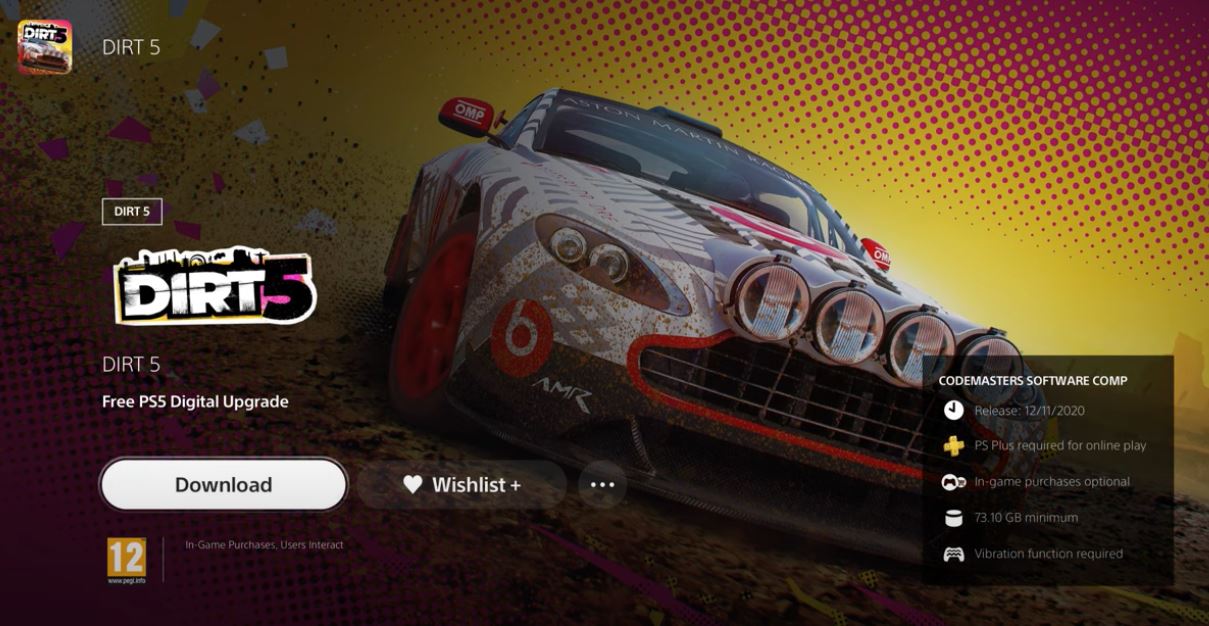
- Search for the cross gen game that you want to upgrade. You can see the full list of PS4 games that offer PS5 games here
- Next to the main view there should be a box off to the right of the screen which says “free PS5 upgrade”
- Highlight this box and press the X button
- Select “Download” and press the X button
- The PS5 version will now download
Guide: PS5 Enhanced Games List – Every PS4, PS5 Game With Enhanced Graphics Modes
Once the game is in your library, there is still the risk that you will download the PS4 version by mistake. To make sure you download the PS5 version, simply follow these steps:
- As before, make sure you have enough storage space left on your console to download the PS5 version of the game you want
- Go into your library
- Select the game you wish to download the PS5 version from
- You should see an icon that has two dots and a down arrow
- Make sure that you highlight the version of the game which does not say ‘PS4’
- Highlight this version
- Press the X button
- The PS5 version of the game is now downloading
We hope you found this guide useful!