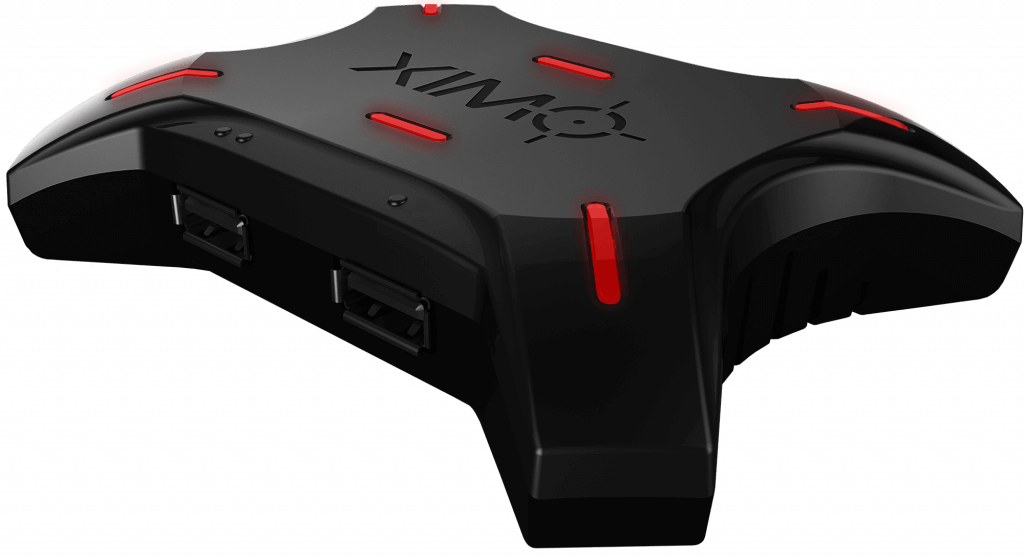
Have you ever wanted to play PS4 games and indie games with keyboard and mouse and hoping to discover a simple solution to playing PlayStation games like a PC gamer?
Currently, there are numerous games that are keyboard compatible with PS4, including Final Fantasy XIV, Overwatch and Elder Scrolls Online.
However, you can play any PS4 game with a keyboard with the right device. The most popular among gamers is the XIM4 USB keyboard and mouse adaptor. This also works for PS3, Xbox 360 and Xbox One.
Play PS4 games with keyboard and mouse with XIM4
Players have been using the XIM4 keyboard controls on PS4 to play shooters like Wolfenstein 2 and Destiny 2, and though it isn’t the perfect solution (because most of these games aren’t designed for keyboard use) it is the best alternative out there for those who don’t want to use the original DualShock 4 or new PS4 controller.
Set up can be a little fiddly. After receiving the USB device, you need to apply the latest firmware update, and go through the configuration process either via PC or your smartphone to set it up correctly for your PS4.
The XIM4 unit comes with a 6 inch USB lead which you connect from the device to the PS4. You then put the micro-USB lead from the DualShock 4 from the controller to your XIM4. You then plug a mouse into the left port on the device, your keyboard into the right port. A press of the PS Home button on your DualShock 4 and you’re all set up to play PS4 games with keyboard and mouse.
The XIM4 has been used by the PS4 community for a number of years since its launch, and is now compatible with PS4 Pro. Currently, the unit is out of stock, but there’s a waiting list on the official website.
Looking to the future, we would expect the PS5 to be compatible with a range of keyboards and rodents, too.