
For those lucky enough to have picked up the much-coveted PS5 these past few weeks, it’s likely that you’ve now trawled through every inch of the system’s menus, options, and possibilities.
In many ways, there are some transformative changes, namely that of the Activities feature, the snappy, responsive UI, and the Control Center that houses all of the quick-select options available to the user.
In other ways, however, there seems to be a bit of a regression from PS4’s user interface, what with some baffling omissions that you could possibly put down to the fact that this generation of consoles have come in relatively hot. (Figuratively, not literally thankfully.)
Many of these are just quality of life things, nothing wholesale necessarily that would transform the console substantially. Still, quality of life changes is where it’s at, considering the amount of time you’ll be in PS5’s various menus over the next number of years.
With that in mind, here’s some of the immediate alterations we’d like to see.
Five PlayStation 5 UI Changes We Need To See
Compliment Trophies As a Key Component
Perhaps we’ve been spoilt with that satisfying ‘ping’ upon completion of a set task, but it’s safe to say that PS5’s Trophy-popping sound leaves a lot to be desired – in reality it’s barely audible above a game’s general volume.
We’ve become accustomed to awaiting that famous sound for dodging 200 lightning bolts in Final Fantasy X/X-2 HD Remaster (never forget) or killing 200 pigeons in GTA IV (we’d like to forget). Hopefully this is remedied before long so we can get back to getting our fix of that sumptuous jingle.
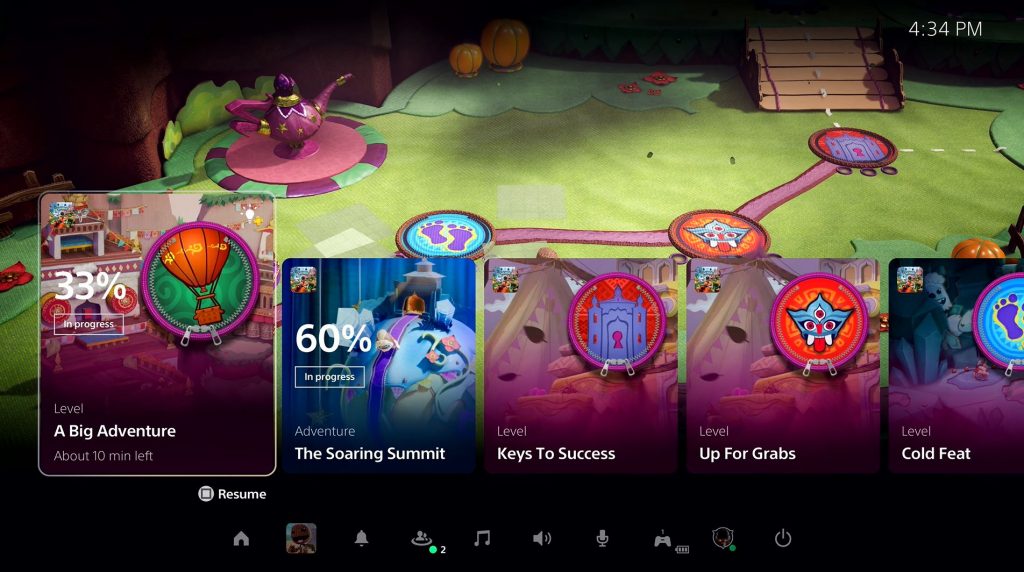
In line with the less-than-stellar Trophy sound, the horizontal-tiled setup for Trophy lists within the Control Center takes a bit of getting used to, and seems a degree less efficient than the standard vertical list of days past. It’s harder to see full descriptions as they get cut off, it takes more buttons to reveal hidden Trophies, and overall it looks a little too large and clunky. It’d be nice to be able to customize this area, even if it means it would be then-incongruent with how Activities looks.
Tailor The UI How You Like – Game Library, UI Music, Folders
Within your game library, you’re able to set a couple of filters, be with ‘A-Z’, ‘Z-A’, ‘most recent’ but these filters don’t save, so if you prefer to present your collection in a particular way, you currently have to change it each time you enter the game library.
Though you can disable the UI’s music we’d rather the option to disable the game music that plays when you hover over a game icon, instead just leaving that lovely ambient offering.
Another case of going backwards rather than forwards, folders are a conspicuous absence within PS5’s user interface, and it is beggar belief that they’ve been left out. Given the lack of storage space, we mightn’t ever have enough games installed at one time to constitute their use, mind.
Space is at a premium on PS5, and it seems counter to the sleek 4K/HDR UI that game icons are so big within the game library – especially if you have a lot of smaller-sized titles installed on the system. A quick option to pick ‘small/medium/big’ would cater for all.
A simple addition would also be customizable wallpapers/themes – having built up a substantial collection during the PS4 era, (the best being the nostalgia-inducing PlayStation anniversary and PS2 themes) it’d be nice to see this return and we’d expect to see it sooner rather than later.
Make The Experience More Seamless – Cloud Saves, Shortcuts, Quick Resume
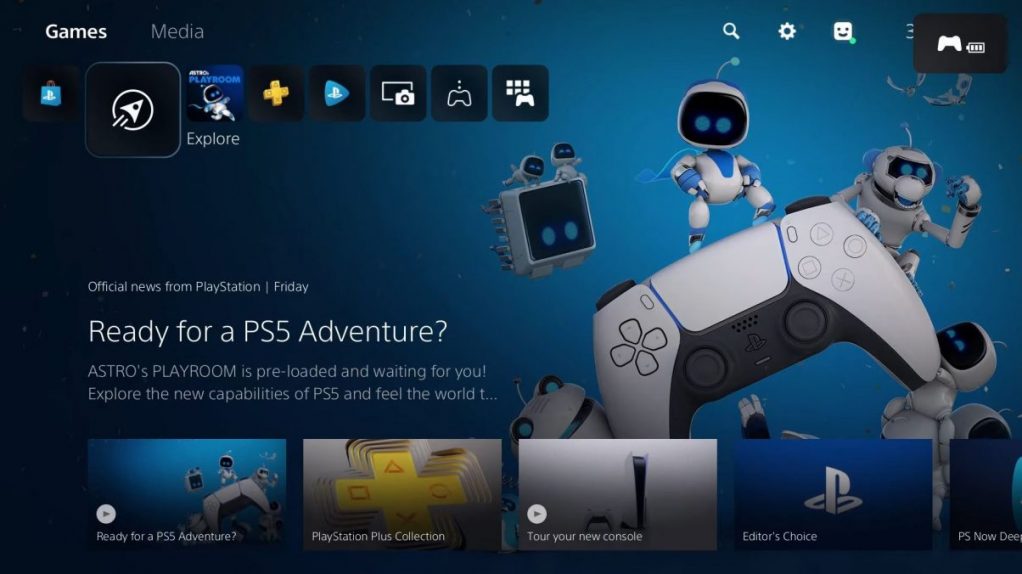
PS5 has for some reason obfuscated the process by which to upload/download your saves to/from the PlayStation Plus cloud. It’s now buried within a myriad of menus and would be far better served front-and-center within perhaps Control Center or somewhere more easily accessible.
We’d also like to see some more shortcuts available for Control Center, be it quick access to the game library, Trophies, game saves – the more options the better we say.
Though Activities ostensibly works in a similar fashion, we’d like to see the formal introduction of the handy ‘Quick Resume’ feature that’s currently on Xbox Series X|S which allows you to suspend multiple games at once and switch between them at a moment’s notice.
Related Content – Sony PS5 Complete Guide – A Total Resource On PlayStation 5
Expand the PlayStation Store Functionality – Deals, Gifting, Filters
The PlayStation Store is now baked into PS5 and it’s all the better for it – it’s snappier, more concise and features a wish list to keep track of information related to the games you want to see. However, there’s still a great deal it could do to get in line with the dedicated PC stores – one aspect is the idea of gifting, which seems a no-brainer with how Sony would get its cut if you were feeling generous and gifted a digital purchase to a friend.
As time goes on the Store is going to get cluttered with 1000s of games – as if it isn’t already with PS4 titles – and what’ll inevitably end up happening is that you will be recommended certain games time and time again, it’d be handy to be able to filter these out, hover over the game tile and click ”do not show me this again” so the system then recognizes that you’re not interested in that particular title and as such they won’t show it again.
Another baffling omission is the removal of the ‘deals’ section of the PlayStation Store. Now maybe this is due to the fact that there aren’t many PS5 games on sale (this should be null and void as PS4 games can still be played) so it’s likely something we can expect in the future but it seems odd that it’s not been included from the get-go.
See What’s Changed With Your Games
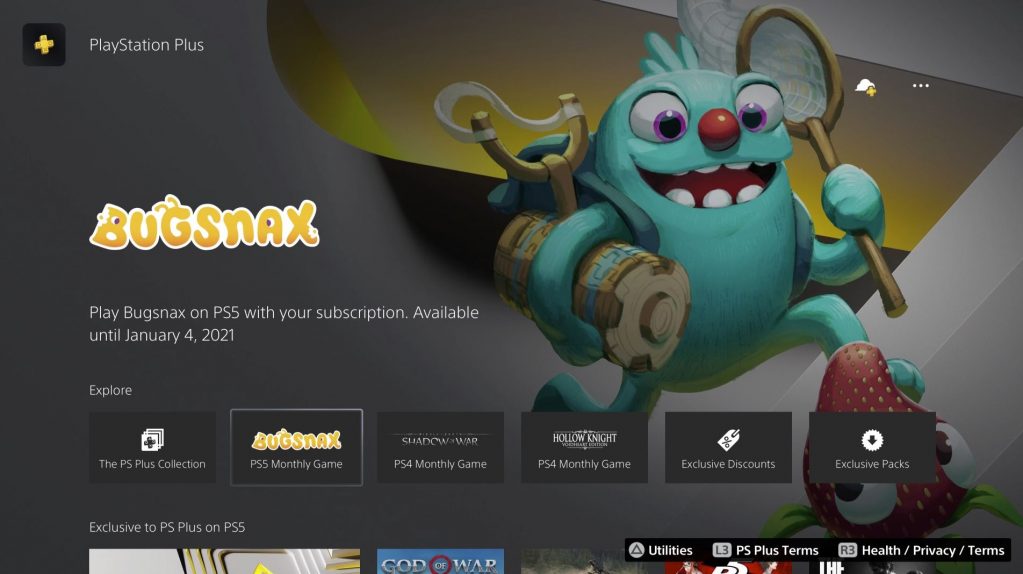
Back on PS4, whenever a game was updated you were able to go in and check out the patch notes to see what’s changed, unfortunately this has been removed from PS5 and it’s something we’d certainly like to see back (PS4 games meanwhile when played through PS5 show the correct patch changelog history however). To that end also is the fact that patches now have far more numbers and are overall less user friendly for searching online.
One thing Mark Cerny commented on specifically in his Road to PS5 conference was that the copying of games/patches would be significantly quicker on Sony’s latest console. And while installation times certainly are faster, the copying of discs and updates is still very slow in comparison to everything else. If this isn’t some sort of limitation – and it doesn’t seem so given Cerny’s comments – it’d be great to see the time associated with this process reduced.
What sort of features/changes would you like to see with PS5? Let us know in the comments section below.